

Frequently Asked Questions
Is there a mobile App for infragrowth ?
Your infragrowth dashboard is optimised for mobile.
For quick mobile access, add a link to your mobile homescreen.
Step 1:
Login to infragrowth on your mobile device. Go to your certification page.
Step 2:
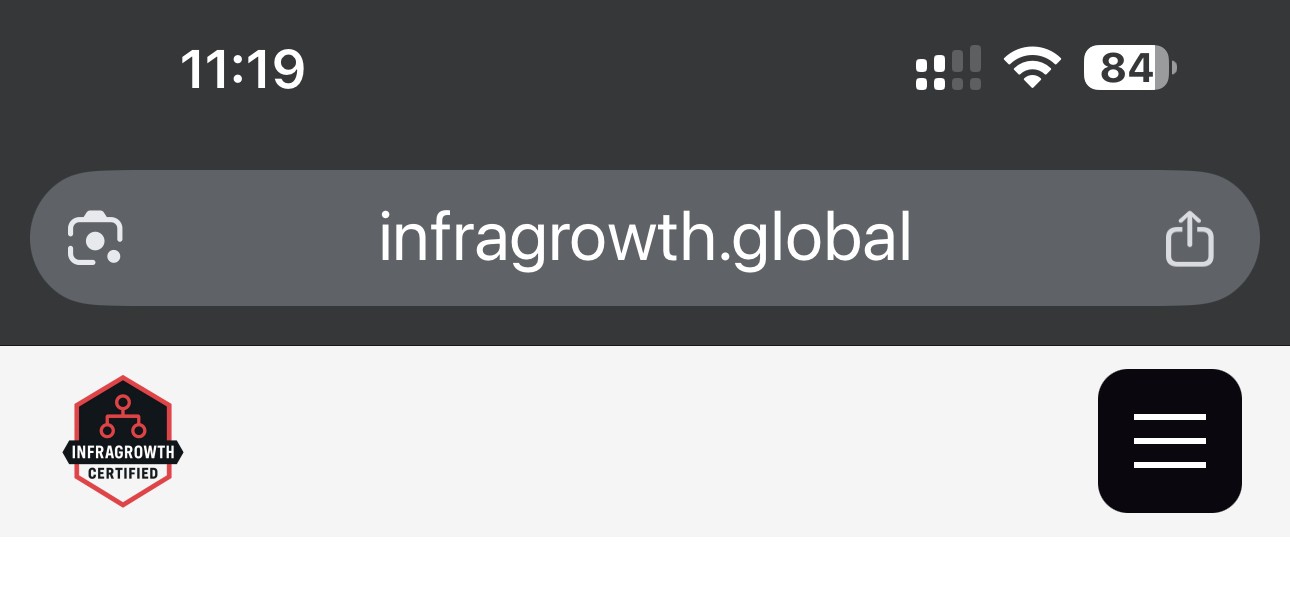
Click the Share Link Button in the browser search bar.
Step 3:
Click the View More arrow down button.
Step 4:
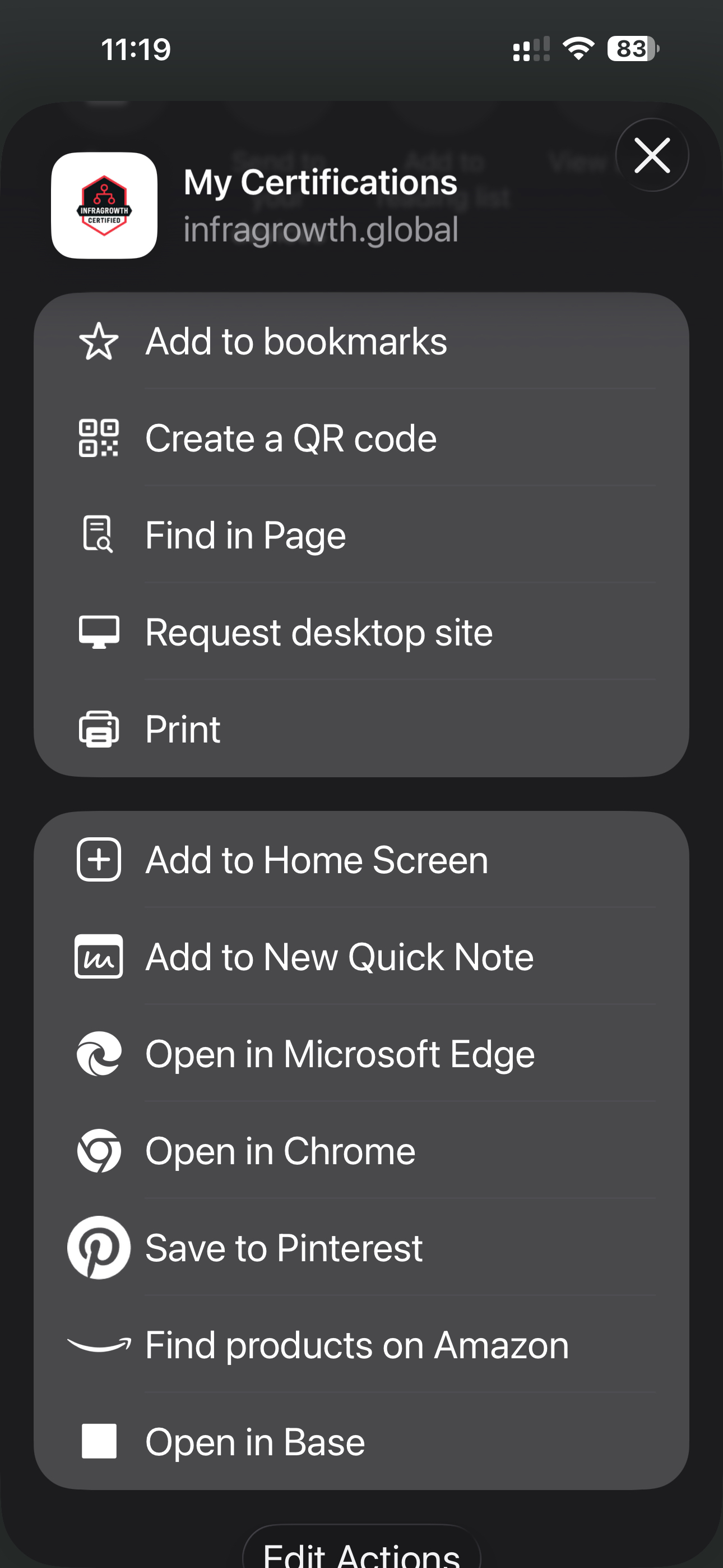
Then click Add to Homescreen.
Step 5:
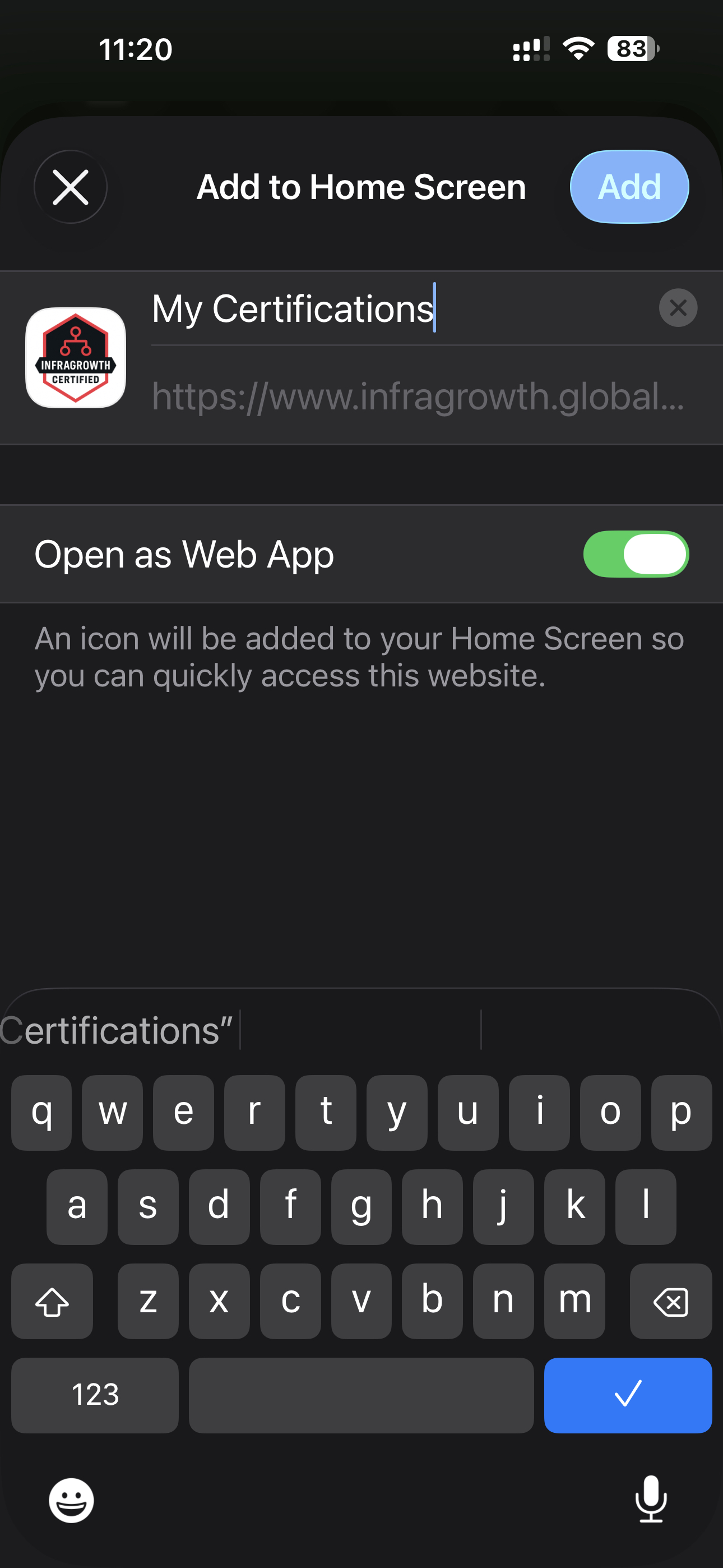
Click the Add button and you are all done.
A quick link will be added to your mobile homescreen.
How do I share my certifications ?
Show off your skills!
Share your verified credentials directly from the "My Certifications" page.
On-Site: Open your mobile certifications page and display your unique QR code for instant verification.
Direct Share: Use the WhatsApp or email buttons to send secure, authenticated links.
Copy & Paste: Click to copy your certificate link directly to your clipboard.
Don’t forget to celebrate your achievements, post your certificate to LinkedIn!
Link to My Certifications Page
My WhatsApp share link doesn't work ?
Sometimes your mobile or desktop browser may block pop-ups.
Try disabling pop-up blocking in your settings and refresh the page.
That should do the trick.
Alternativly, you use the "Copy Link" button to manually paste the link into WhatsApp or text message.
Why can't I see my trade Courses and Certifications ?
Your trade courses and certifications could be hidden because your subscription has lapsed.
To regain access, please visit your billing page to update or add your payment details.
Don’t worry...we’ve saved your progress, so you can pick up exactly where you left off.
Link to Billing Page
Why do my certifications show an expiry date ?
Your certifications stay active as long as your subscription is current.
When your next billing cycle is processed, we will automatically update your expiry date.
For free courses such as Data Centre Awareness we will also automatically update your expiry date.
There's no action required on your part.
Link to Billing Page
Why do I keep having to Sign-In to my account ?
For your security, you may be automatically signed out if the site is left idle for an extended period or if you close your browser.
Please note that we do not allow simultaneous logins on multiple devices.
To make your next visit as smooth as possible, we recommend saving your sign-in information within your browser or mobile device.
How do I create multiple accounts for my Team ?
Go to the pricing page and click the link to enquire about Enterprise Team Subscriptions.
We have great discounts for group accounts.
Teams can save up to 20%.
Link to Pricing Page
Why cant I access the Knowledge Search Tool ?
The Knowledge Search Tool is only available with a paid subscription.
Upgrade your account to access trade courses and more...
Link to Pricing Page
Why won't my Knowledge Check Quiz Load ?
If you are using a VPN (Virtual Private Network), its built-in security filters or ad-blockers may accidentally flag and block our secure third-party form provider.
Our website is fully encrypted and completely safe to use.
To resolve this issue, please try temporarily pausing your VPN or switching to a different server location, then refresh the page.
Why won't my Lesson Videos Play ?
If you are using a VPN (Virtual Private Network), its built-in security filters or ad-blockers may accidentally flag and block our secure third-party video provider.
Our website is fully encrypted and completely safe to use.
To resolve this issue, please try temporarily pausing your VPN or switching to a different server location, then refresh the page.